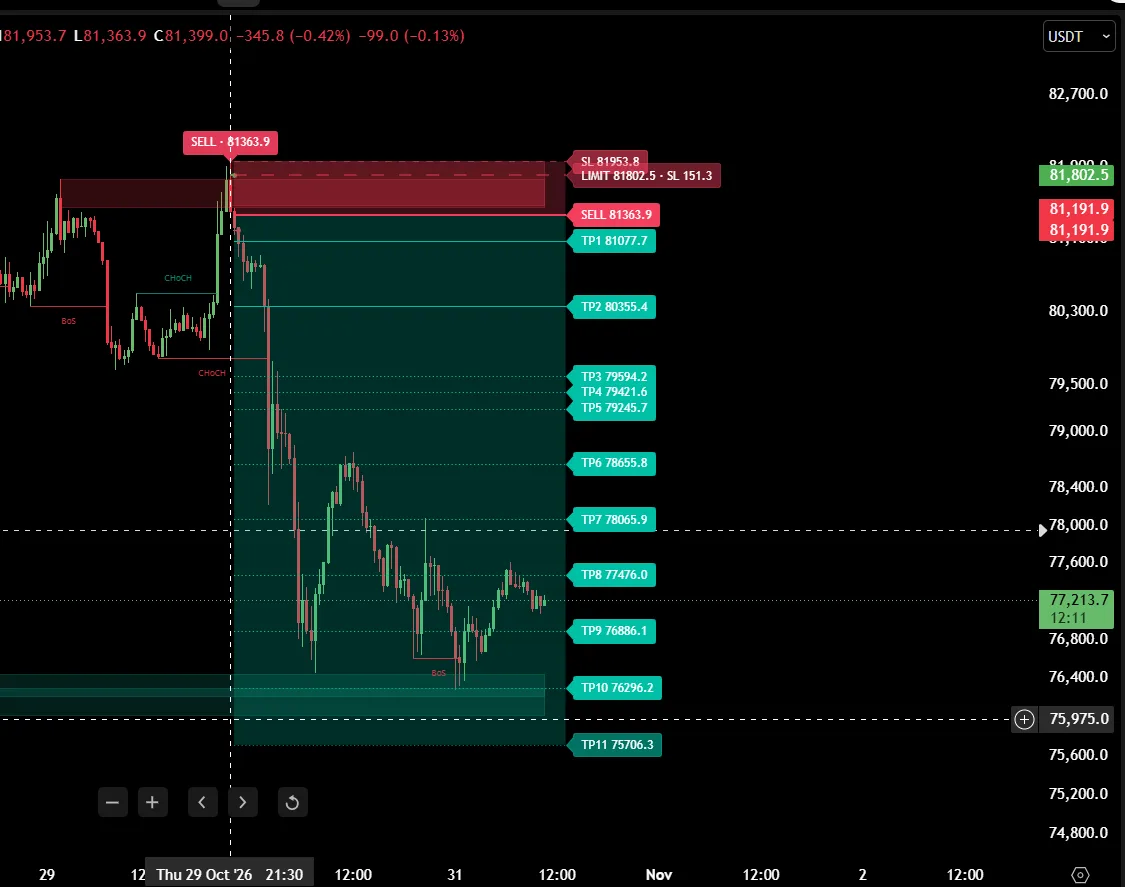
Signals + trade plan
Sniper Pro V2
BUY and SELL labels where price rejects areas from earlier sessions, with entry, stop-loss and a take-profit ladder drawn for every signal. Confirmed on candle close.
 BTC SNIPERS
Two invite-only TradingView indicators built around volume profile and order flow: Sniper Pro V2 marks BUY / SELL setups where price rejects important areas from earlier sessions, and Institutional Activity shows who is acting through delta, Open Interest, session POC and VWAP.
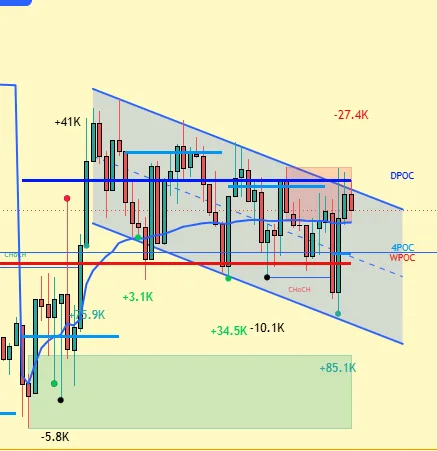
Use Sniper Pro V2 for the setup and the trade plan. Use Institutional Activity for the context behind it: who is pushing, who is trapped, and where fair value sits.
BUY and SELL labels where price rejects areas from earlier sessions, with entry, stop-loss and a take-profit ladder drawn for every signal. Confirmed on candle close.
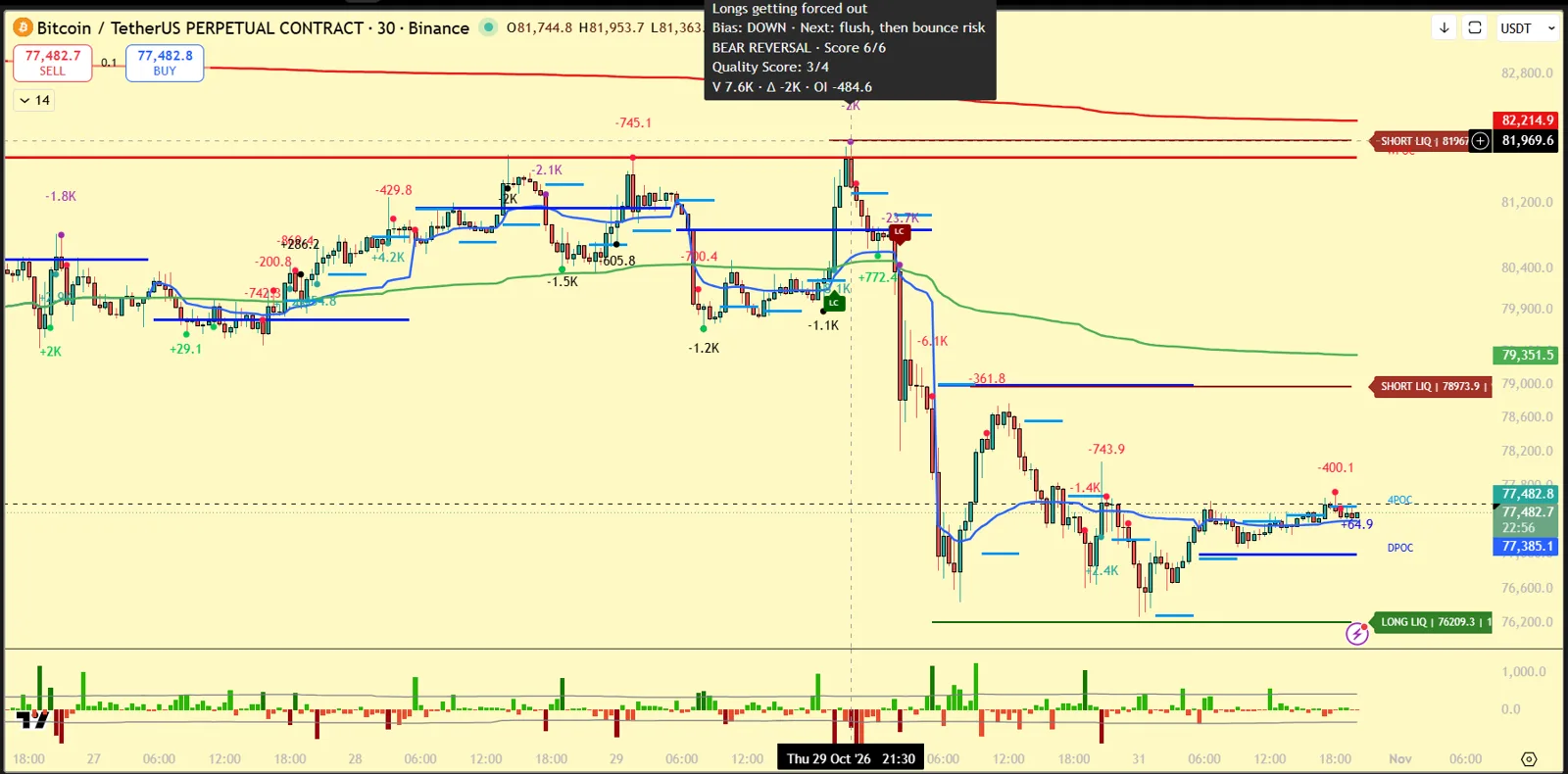
Intrabar delta, Open Interest events, trapped traders, a reversal score, session POCs, VWAPs and liquidity levels – combined in one panel.
Sniper Pro V2 reads the volume profile of previous sessions – where the market accepted price and where it rejected it – and waits for a clear reaction at those areas before showing a signal. The aim is fewer, cleaner signals at locations that matter, instead of a signal on every swing.
Built for crypto perpetual futures on the 30-minute chart (developed on BTCUSDT perpetual). Click a tab to see each part on a real chart.
Auto SL placed for each signal, a manual SL as a % from entry, or no initial SL. Choose whether a stop counts on candle close or on touch.
After TP1 the stop can move to entry, then to TP1 after TP2, and so on. Show or hide every level individually.
Signals are confirmed on the candle close. Act on a signal only after its candle has closed.
BUY SIGNAL / SELL SIGNAL with entry, SL and TP1–TP3, plus SWEEP alerts that tell you a setup is forming and its trigger price.
Optional short order message (symbol, side, quantity, time) in Delta Exchange webhook format for your own automation.
The signal engine uses fixed settings, so every user sees identical signals. Only display, SL / TP, webhook and zone options are adjustable.
One pane, four engines: intrabar buy/sell delta, aggregated Open Interest events, session volume-profile POCs with VWAPs, and a two-stage reversal engine. Hover any marker on the chart for a plain-language tooltip – like the ones below.
Confirmed signals are evaluated on bar close and do not repaint. The optional live intrabar dot tracks the forming candle and can change – it is labelled as such. The OI layer needs a symbol with Open Interest data (crypto perpetuals); delta and POC layers work on any symbol.
TradingView Bar Replay on BTCUSDT perpetual, 30m – the signal appears on the candle close and the levels are drawn as price moves. Replays of past data, shown to explain how the indicator works – not a record of live trades. Tap a Short to play it. More on our YouTube channel – subscribe for new replays.
Take one indicator or both together, month by month or for a full year. Prices include 18% GST for buyers in India (buyers outside India pay the same price with 0% GST); a tax invoice is emailed after payment. Both are invite-only on TradingView: after payment, send your TradingView username and access is added to your account.
Prices in Indian rupees. Every plan includes all indicator updates during its access period.
BTC Snipers builds TradingView indicators for market profile, volume profile and order-flow traders: Sniper Pro V2 and BTC Snipers Institutional Activity. The tools are designed and tested on BTCUSDT perpetual futures.
BTC Snipers is a trade name of Lashmipathi Muthyalu (sole proprietor), Bengaluru, Karnataka, India. GSTIN: 29AEBPL3468E1ZH.
Have a question before you buy? Leave your name, phone number and email and we will contact you, usually within 24 hours. To buy, use Buy now on a plan.
Or reach us on:
✈ Join our Telegram channelSniper Pro V2 is built and tuned for crypto perpetual futures on the 30-minute chart (developed on BTCUSDT perpetual, Binance). Institutional Activity works best on liquid crypto perpetuals because its Open Interest layer needs OI data.
No, not after the candle closes. Signals are confirmed on the candle close. Only the optional live intrabar marker in Institutional Activity follows the forming candle, and it is labelled as live.
Invite-only scripts can be used on TradingView accounts, including the free plan, but chart history and the number of indicators per chart depend on your TradingView plan. Sniper Pro V2 needs a few weeks of 30m history to build its context.
Sniper Pro V2 can send webhook alerts in Delta Exchange format and Institutional Activity has a JSON webhook mode. Automation is your own responsibility – test with the smallest size first.
No. These are charting and analysis tools. They do not give buy or sell recommendations for you, and no indicator is right every time. You decide every trade and manage your own risk.
See the refund policy.